
DuckDNS 파업 선언..!?
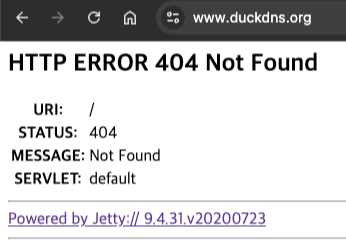
DuckDNS가 며칠? 아니 25년 8월 31일부터 2주 내내 이모양 이꼴이다...
진짜 일 안하지?
https://github.com/home-assistant/addons/issues/4144
DuckDNS error 404 since 31/08/2025 and 12/09/2025 · Issue #4144 · home-assistant/addons
Describe the issue you are experiencing Hello, do you also have a 404 Error since le 31th of August 2025 on https://www.duckdns.org HTTP ERROR 404 Not Found URI: / STATUS: 404 MESSAGE: Not Found SE...
github.com
나만 그런 것도 아님...
그나마 웹 인증 해둔 것은 '아직' 동작하는데, 위 이슈에서 보듯이 홈 어시스턴트 쓰는 분들은 아예 되지도 않는듯...

DuckDNS께서 바쁘시니까 다른 방법을 찾아야겠지?
나는 당장 DNS가 하나 필요하니 다른 것을 찾다가 FreeDNS(Afraid.org)라는 것을 발견했다
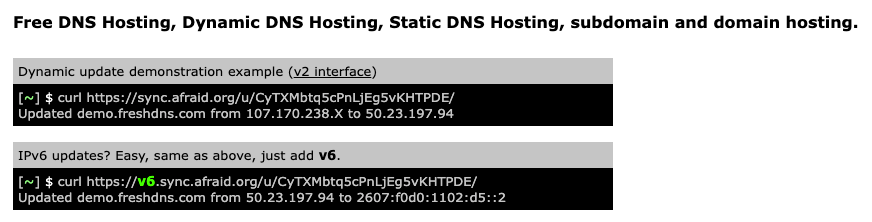
디자인을 보니 왠지 전문적인 냄시가 폴폴폴...
이것이 2000년대 개발자...?
포스팅 썸네일 만들려고 아이콘 찾았는데 아이콘도 없다...
이래봬도 후기와 역사가 깊으니 한번 발급해보자
FreeDNS - Free DNS - Dynamic DNS - Static DNS subdomain and domain hosting
Free DNS Hosting, Dynamic DNS Hosting, Static DNS Hosting, subdomain and domain hosting. Dynamic update demonstration example (v2 interface) [~] $ curl https://sync.afraid.org/u/CyTXMbtq5cPnLjEg5vKHTPDE/ Updated demo.freshdns.com from 107.170.238.X to 50.2
freedns.afraid.org
1) 메인페이지 접속 후 회원가입
여긴 뭐 빠꾸없다
첫 페이지에 필요한 모든게 다 써있다
시간 아깝다 최대한 빨리 회원가입(Sign up Free) 누르자
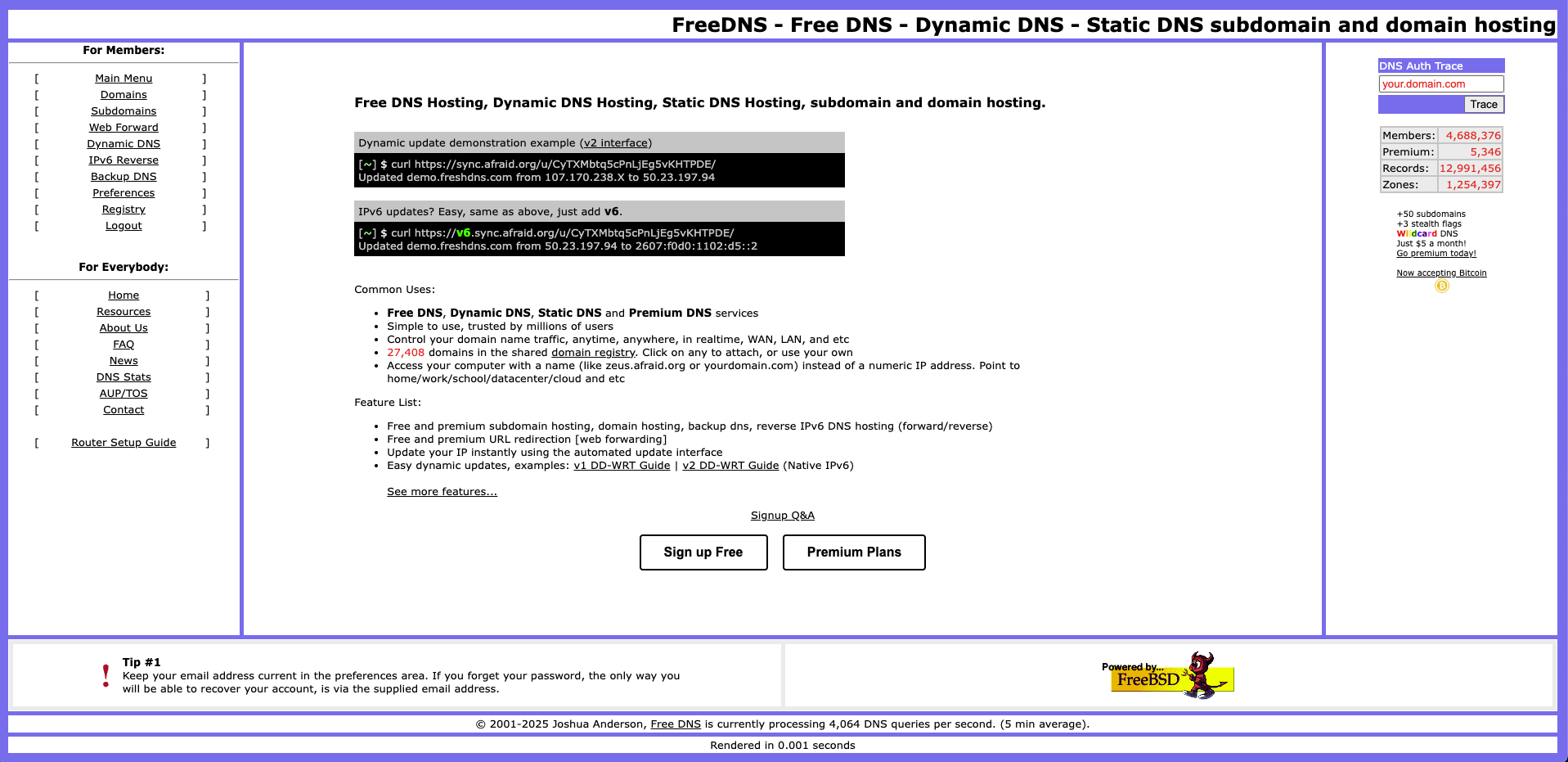
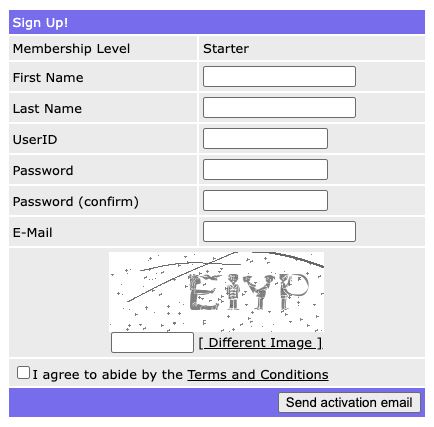
회원가입마저 굉장히 테토스러운 디자인...
2) 이메일 인증 및 계정 활성화
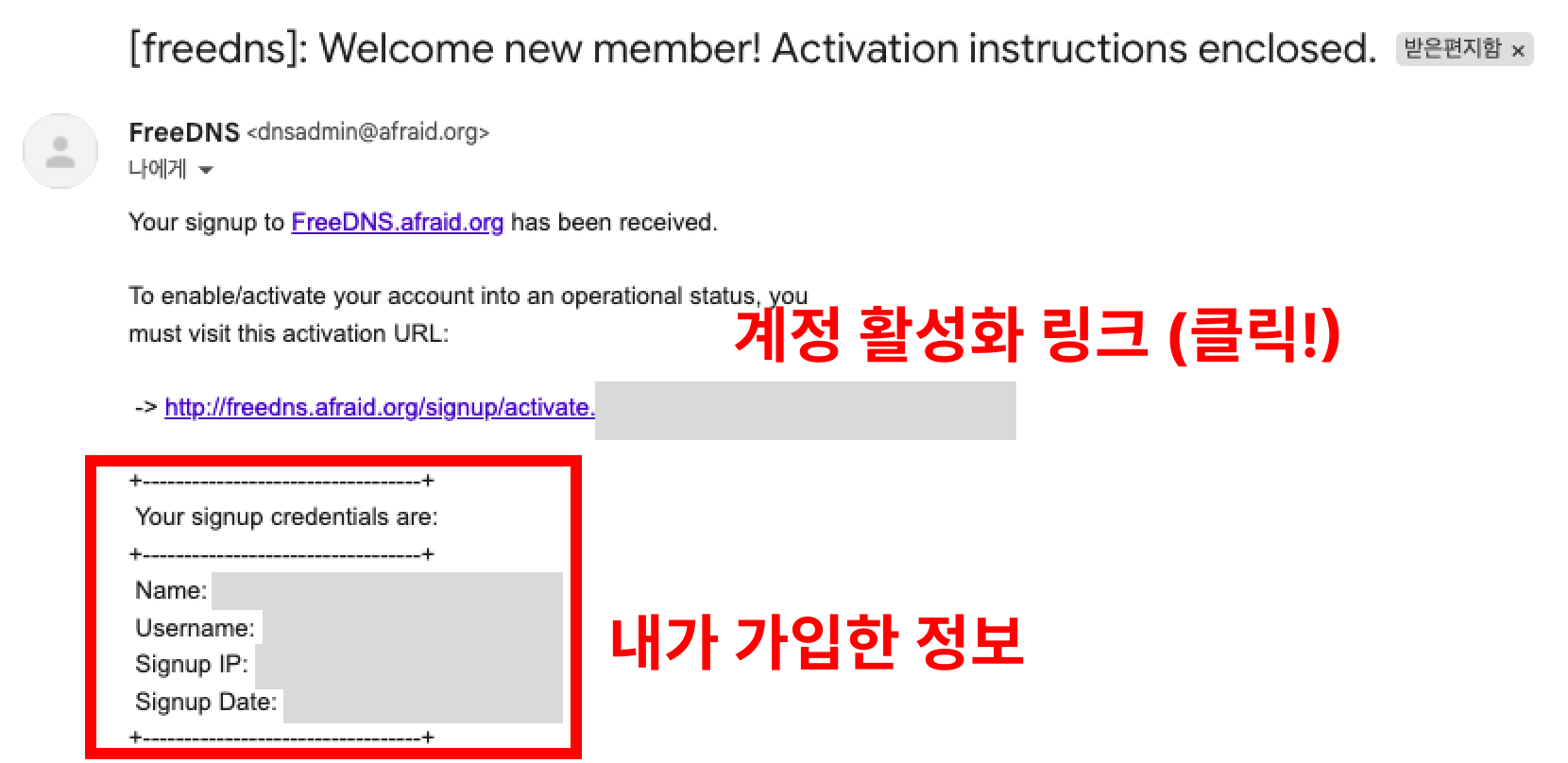
이메일마저 디자인, 사진 뭐 없다 그저 시크해..
이메일로 회원가입 인증하는 링크 누르면 아래와 같은 창으로 이동!
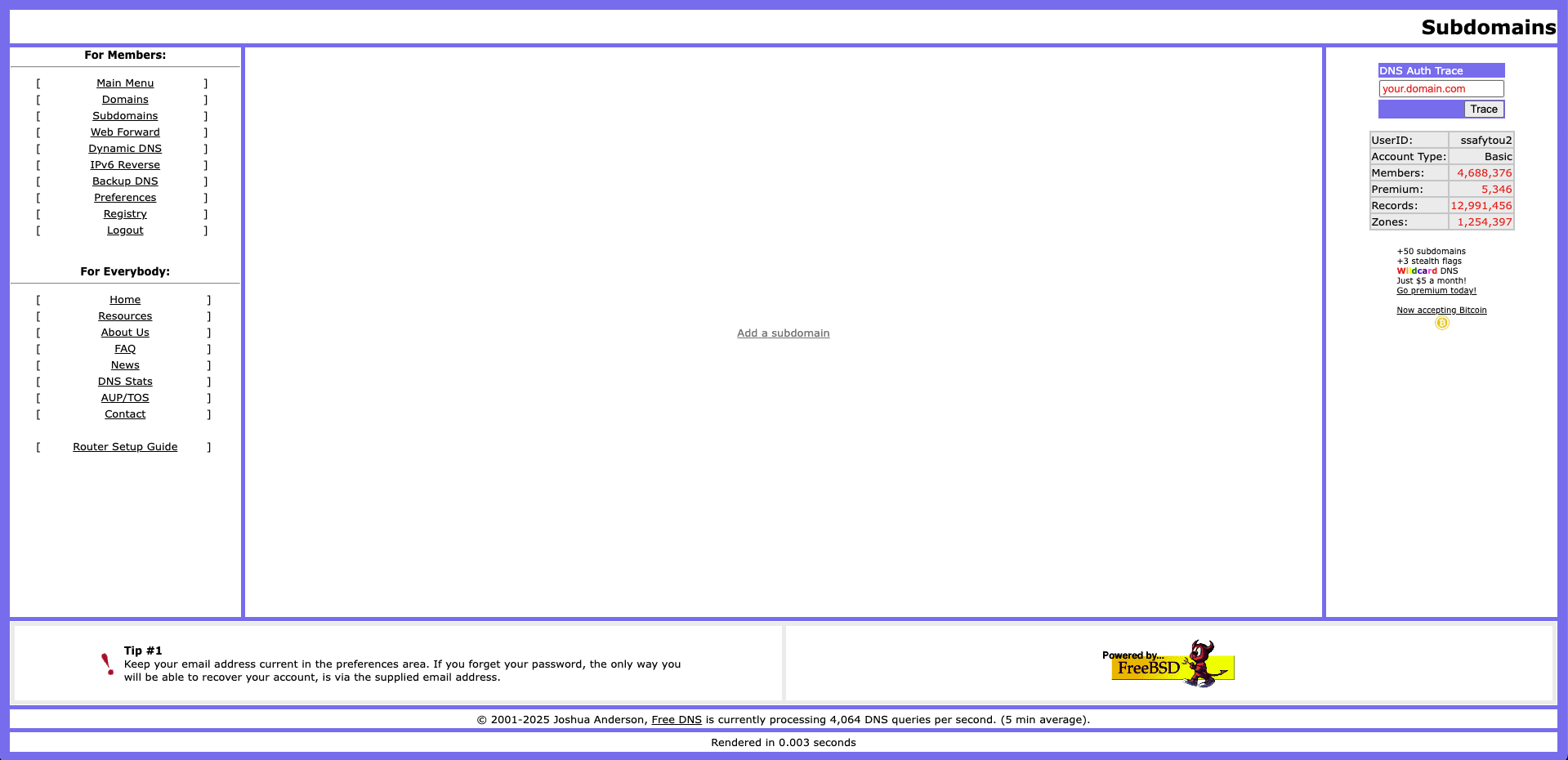
그냥 진짜 Add a Subdomain 덩그라니 있음..
3) 도메인 생성하기
Add a Subdomain 누르면 아래와 같은게 뜸
(1) 타입 선택
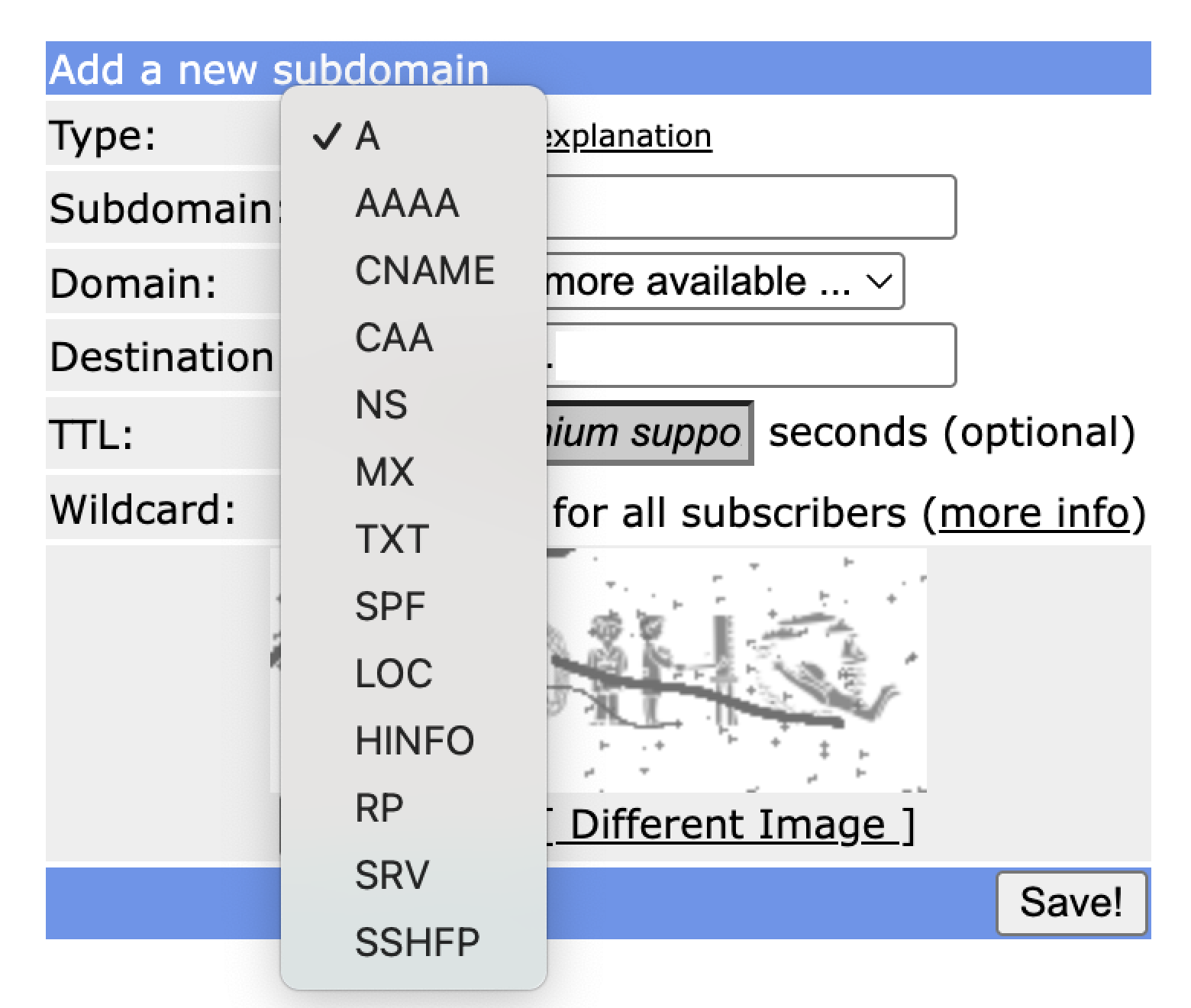
타입은 그냥 개인 홈서버면 A타입 하면 됨
자세한 설명 원문은 아래에서
| Type: A - Point subdomain.domain.com to a hard coded IP Address. Most direct and straight forward option, also note any change you make in the FreeDNS program is reflected on the internet and made live immediately. The only way you will not see immediate results is if you have cached a query on your computer by looking it up PRIOR to configuring it in the FreeDNS program. Type: MX - Point subdomain.domain.com to a mail server. These type of records are special for just mail servers, they can co-exist with A records, and their only use is for routing mail to a different location. All mail implementations check for this record first before attempting to route an e-mail message. If a MX record does not exist for a host, an e-mail delivery would be attempted directly to the IP that the hostname resolves to. Type: AAAA - Point subdomain.domain.com to a IPv6 address. Useful for those who are using IPv6 on their personal networks or those who are using a IPv4 to IPv6 tunnel at home. Type: CNAME - Point subdomain.domain.com to another hostname. Good for those who are using other dynamic DNS services. You can create a CNAME record to another host and whatever subdomain.domain.com you choose here will go to whatever IP address the CNAMEd host has. Type: NS - Point subdomain.domain.com to another NAMESERVER. If you choose this option, then whatever subdomain.domain.com address you choose using FreeDNS will have to be configured and setup on the destination ADDRESS (nameserver) that you choose. This option basically means you are delegating a FreeDNS host to another DNS server all together, so when you choose this option you are telling every computer on the internet to ask the 'address' where subdomain.domain.com is located at. If the host you point an NS record to is not configured to answer for the subdomain.domain.com that you are using in FreeDNS then the subdomain.domain.com host will not resolve. Type: TXT - Lets you create TXT records, used for a number of different things, most commonly for DKIM records (for combatting spam) so other receiving mail servers can verify email was sent from you by verifying your publically published crypto-signature. Wrap your TXT "destination" in quotes (don't worry, the system will remind you if you forget). Type: SPF - A anti-spam record, good to have on any domain you're sending email with. See https://www.spfwizard.net/ for more details. Type: LOC - A means for Expressing Location Information in the Domain Name System. RFC1876 has the complete explanation. To find your latitude/longitude location, you may find Map-O-Rama of use. Type: RP - The Responsible Person RR. RP has the following format: RP <mbox-dname> <txt-dname> Both RDATA fields are required in all RP RRs. The first field, <mbox-dname>, is a domain name that specifies the mailbox for the responsible person. The second field, <txt-dname>, is a domain name for which TXT RR's exist. A subsequent query can be performed to retrieve the associated TXT resource records at . RFC1183 has the complete explanation. Type: SRV - A 'service' record, used by Session Initiation Protocol (SIP), and the Extensible Messaging and Presence Protocol (XMPP). Also used by Minecraft. Some examples: Type: SRV Subdomain: _service._protocol.subdomain Destination: 4 fields, separated by a space (Priority Weight Port Target) Some more random examples: Type: SRV Subdomain: _minecraft._tcp.mc Domain: yourdomain.com Destination: 0 0 25676 dns.yourdomain.com Type: SRV Subdomain: _jabber._tcp Domain: yourdomain.com Destination: 10 0 5269 jabber.yourdomain.com Type: SRV Subdomain: _jabber._tcp Domain: yourdomain.com Destination: 20 0 5269 xmpp-server1.l.google.com |
길다 길어 대충 번역하고 요약하면 아래와 같다
| 타입 | 설명 | 주요용도 |
| A | 도메인을 IPv4 주소에 매핑 | 가장 기본적인 도메인 → 서버 연결 |
| AAAA | 도메인을 IPv6 주소에 매핑 | IPv6 네트워크 지원 |
| MX | 메일 서버 지정 | 이메일 라우팅 (A와 공존 가능) |
| CNAME | 다른 호스트 이름으로 매핑 | 별칭 처리, 동적 DNS 연동 |
| NS | 네임서버 위임 | 서브도메인 관리 권한을 다른 NS에 위임 |
| TXT | 텍스트 정보 저장 | DKIM, SPF, 검증 정보 제공 |
| SPF | 메일 발송 정책 정의 | 스팸 방지, 메일 서버 인증 |
| LOC | 위치 정보 (위도/경도 등) 기록 | 지리적 위치 표시 |
| RP | 책임자(Responsible Person) 정보 | 관리자의 메일 주소 및 설명 제공 |
| SRV | 서비스 레코드 (우선순위, 포트, 타겟 지정) | SIP, XMPP, Minecraft 등 서비스 연결 |
개인 홈서버, 개인 서비스 용도이면 A타입이면 충분하다고 본다
(2) 서브 도메인 선택하기
주인장이 귀여우신 분인가보다
귀여운 도메인들이 많음 ㅋㅋㅋ
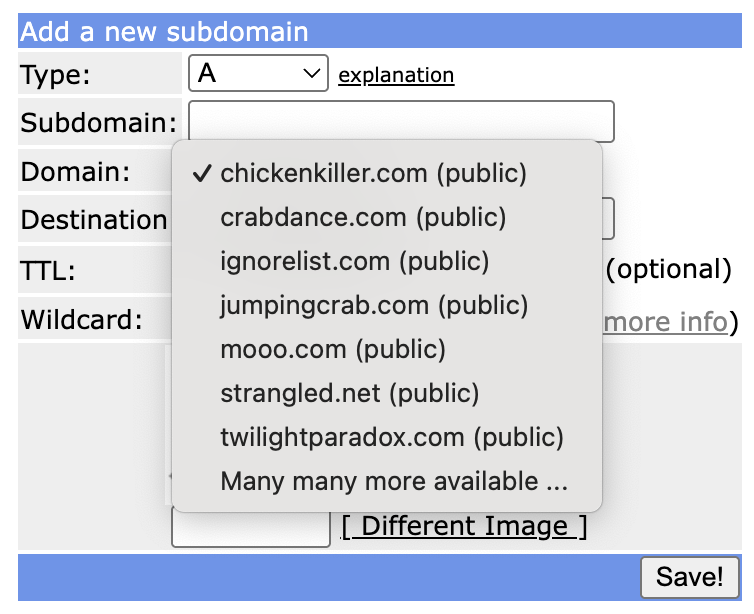
마지막 Many many more available 옵션을 누르면 수천개의 DNS 후보를 볼 수 있다...
229 페이지 실화입니까?
수천개는 되겠더라...
아래 내용은 도메인들 구경하는 내용이라 넘어가도 됨
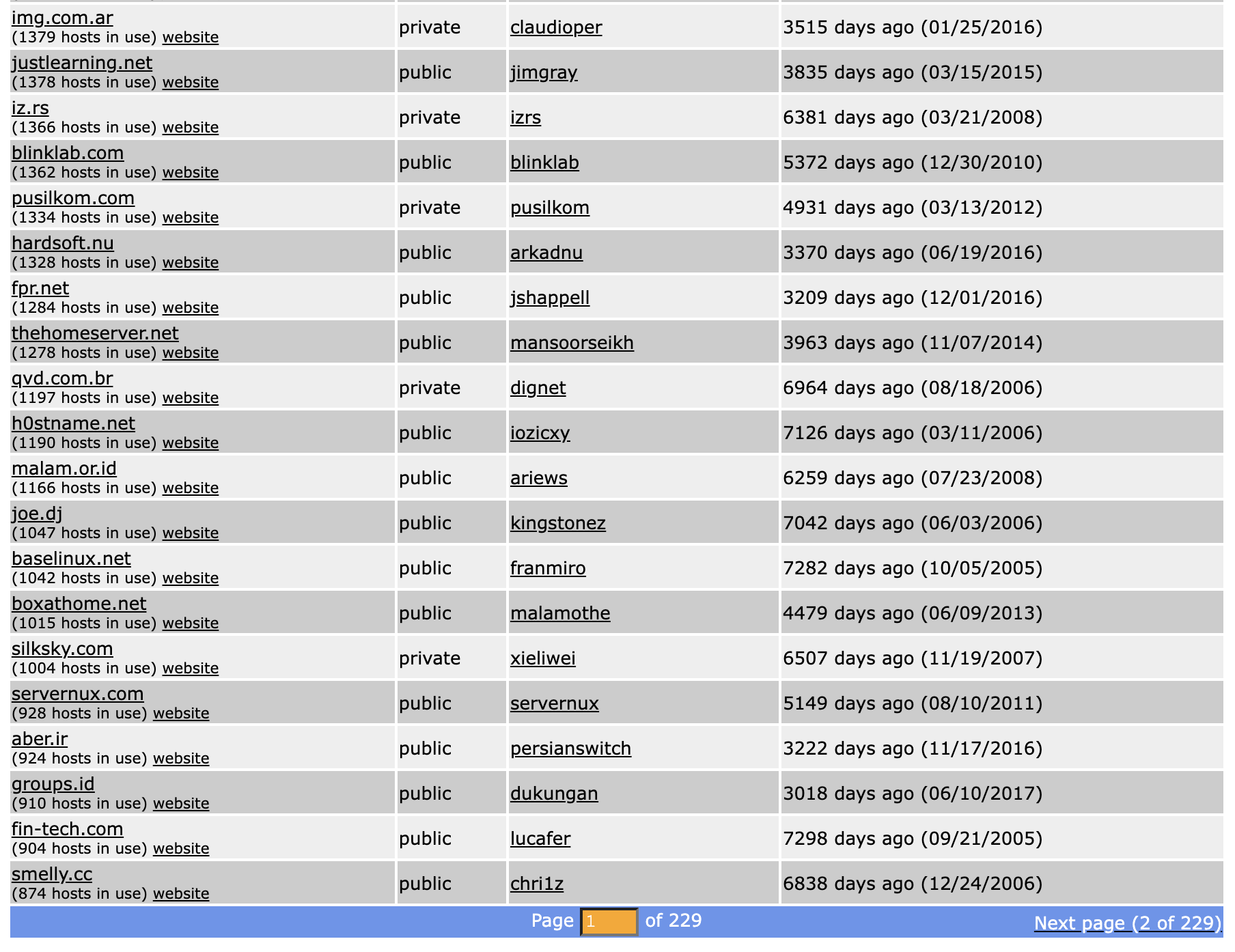
나는 좀 귀엽거나 유니크한거 쓰고 싶어서 좀 둘러봤는데 이게 잘 보면 인기순 정렬인거라...
후반 페이지 갈수록 이게 뭘...까...? 싶은 ㅋㅋㅋ 애들이 많이 나왔다
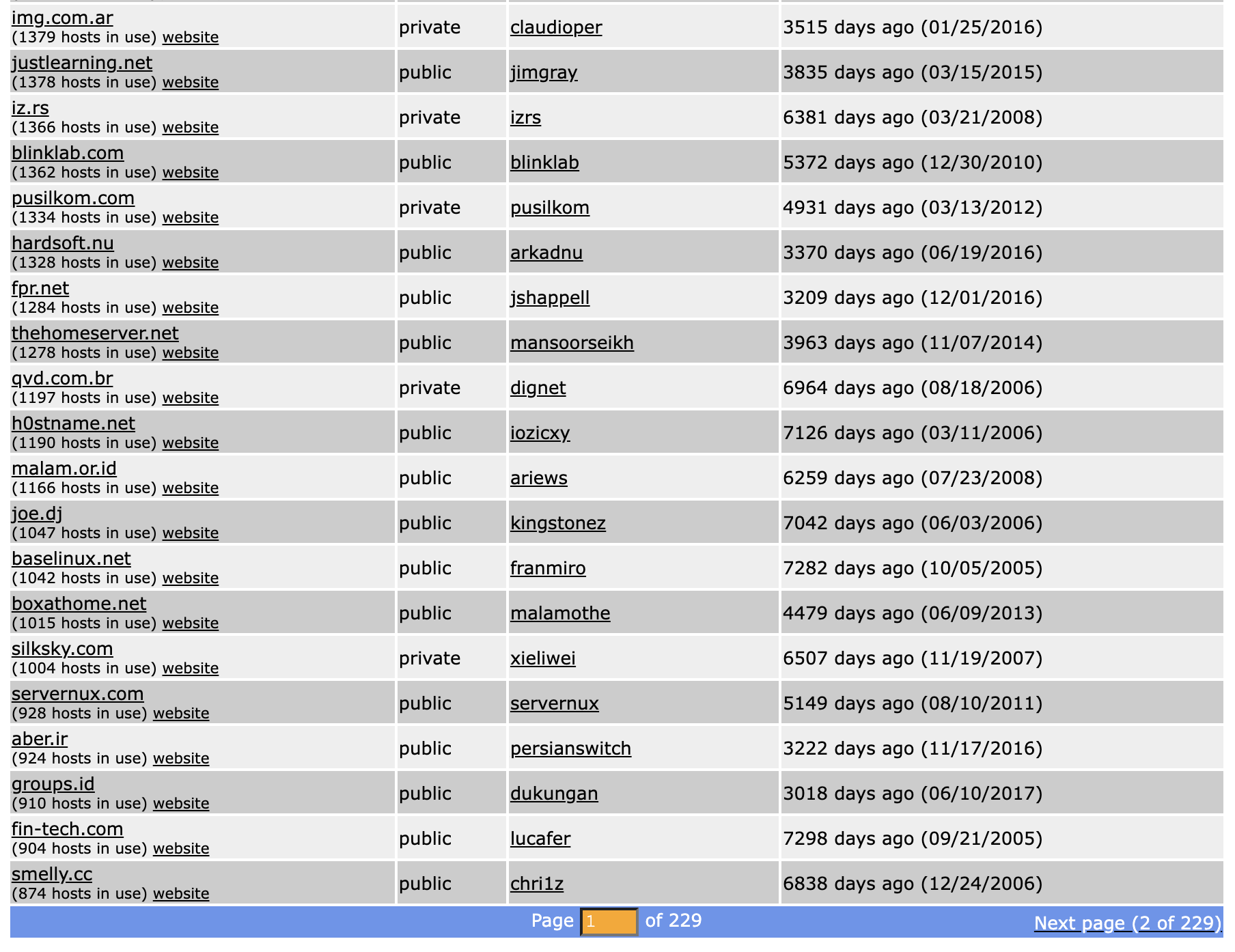
웃기니까 좀만 더 보자
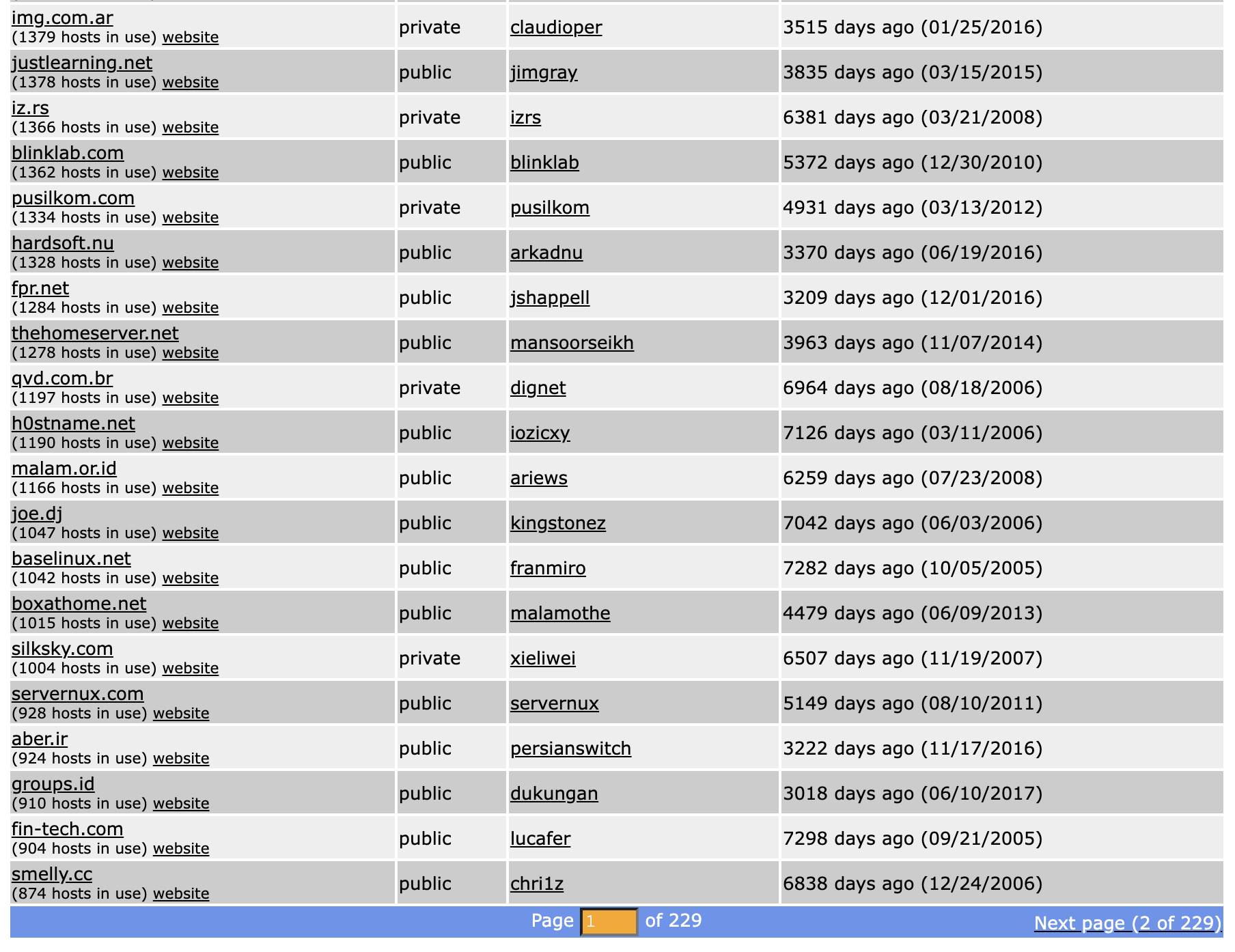
제일 마지막 페이지는 2-3명만 쓰고 있는 DNS도 있다
오늘 생성한 것도 있네;;;
(3) 생성 완료 및 확인
아무튼 적당한 값으로 다 입력하고 나면?
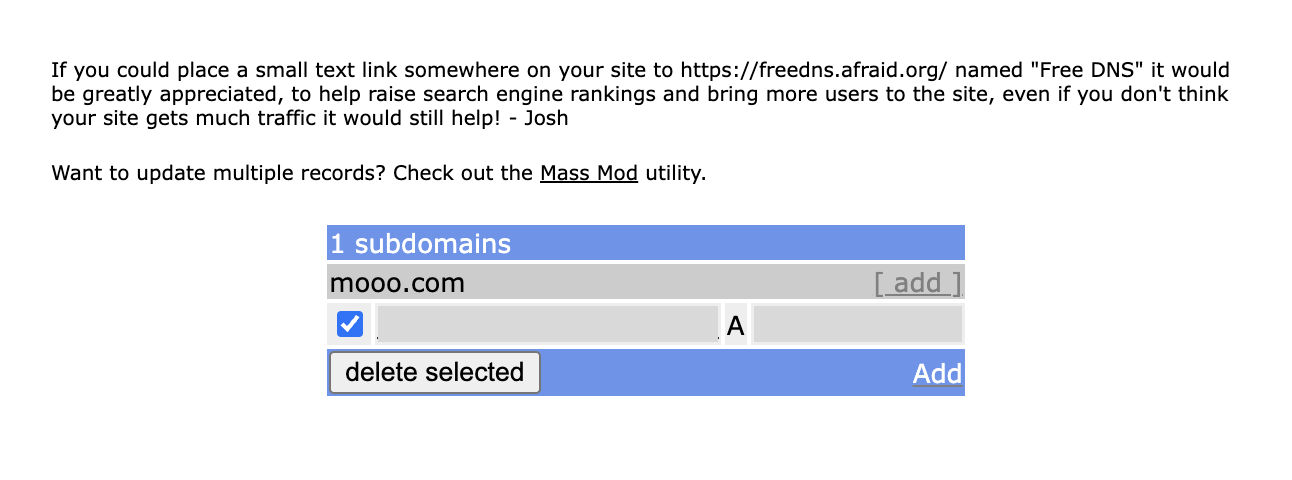
afraid.org 홍보해달라는 문구랑 함께 내 도메인을 확인할 수 있는 창이 뜬다 흐흐
테스트해보니 certbot 인증도 잘됨!
번외 및 나의 궁금증들
1. DNS는 어디서와 어디로 가는가...
아니 근데 이걸 진행하고 보니까 궁금증이 몇 개 생겼다
저 홈페이지에 DNS 등록은 어떻게 하며, 등록해둔 DNS 삭제되면 연결된 모든 사람이 못쓰게 될텐데 그건 어떻게 하나? 싶었음
조사해보니 일단 저기 등록하려면 '내 소유의 DNS'가 있어야 한다

즉, 온라인 단칸방이라도 받고 싶으면 내가 구매한, 내 소유의 DNS가 있어야하고, 그걸 저기 사이트에 등록해야 229 페이지 맨 끝이라도 차지할 수 있는 것이다 (인기순 최하위;;)
이 때 등록한 도메인을 public으로 둔다면 다른 사람들도 (서브 도메인으로써) 쓸 수 있고, private라면 혼자 쓰는 것이다
그리고 당연히 삭제하면... 거기에 물려있는 모든 서브 도메인은 동작하지 않는다...
믿을만한 도메인을 사용해야하는 이유이다

온라인 세상에서도 내 집 하나 만드는거.. 쉽지 않다 증말...
2. DNS 있는건 알겠는데 왜 굳이 업로드하나요?
그러면 왜 private 주소를 저기다 굳이 올려둘까? 혼자 쓰는건데?
자랑하려고?

이것도 찾아보니 쉽게 말해 '내 도메인 DNS를 FreeDNS가 관리해주기 때문'이다
이 부분은 내가 몰랐던 부분인데 DNS 구매한다고 다 끝나는게 아니었다;;;
더 귀찮고 어려운 부분은 시작도 안했다!!

보통 도메인 업체(NS 서버)를 쓰거나, 직접 BIND 같은 걸 깔아서 네임서버 운영해야 하는데… 이게 귀찮고 복잡하다고...
- NS(Name Server)는 말 그대로 도메인을 어느 DNS 서버가 관리할지 지정하는 역할임!
그래서 FreeDNS에 등록하면, FreeDNS가 내 도메인의 NS 서버 역할을 해주고 내가 도메인 레코드 관리 UI만 쓰면 됨 (=개편함)
아무튼 쉽게 한줄 요약하면 'DNS 사고 나서도 운영의 문제가 복잡한데, 이걸 편하게 하기 위해서 나 대신 관리해줄 사이트에 등록하고 쓴다~'로 이해할 수 있었다

여기까지 이해하고 나니 mooo.com이 왜 1등인지 이해할 수 있었다
일단 여러 도메인 중에서 제일 귀엽고, 2001년부터 무려 24년동안 유지되고 있는 안정적인 DNS이기 때문!!
그 안정성은 이루 말할 수가 없겠죠
믿음직하다!
p.s 여담으로 조사하고 공부하면서 알게된건데 DuckDNS는 2013년부터 서비스를 시작했다고 한다! 꽤 됐음
'etc' 카테고리의 다른 글
| 티스토리 hELLO 스킨 적용 방법 (feat. 업데이트 하는 방법) (0) | 2025.09.20 |
|---|---|
| 티스토리 hELLO 스킨 글 너비 늘리기 (feat. 코드 수정 X) (0) | 2025.09.20 |
| 티스토리 hELLO 스킨 코드블럭 너비 늘리기 (feat. 25% 너비 증가) (0) | 2025.08.01 |
| 이중 공유기에서 DDNS 접근 안되는 문제 해결방법 (feat. 루프백 미지원 공유기) (0) | 2025.07.03 |
| 인텔 펜티엄 G3250 소비 전력 측정 일지 (feat. LG PC 전기세) (0) | 2025.06.17 |